Real Time Only Mode
 To ENABLE Real Time Mode Only mode.
- Click on the Tasks button.
- Click on Perform Maintenance
- Click on the Service button.
- Click More at the bottom of the screen.
- Click Enable Real Time Only Mode.
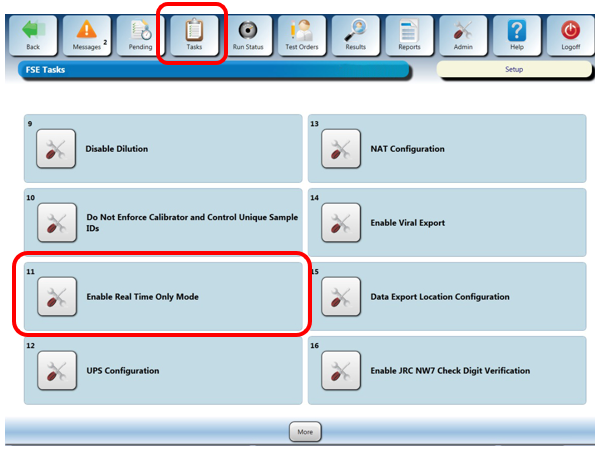
- The setting will change to "Disable Real Time Only Mode".
- Select OK at the "Operator Input Required" prompt.
- To DISABLE Real Time Mode Only mode.
- Click on the Tasks button.
- Click on Perform Maintenance
- Click on the Service button.
- Click More at the bottom of the screen.
- Click Disable Real Time Only Mode.
- The setting will change to "Enable Real Time Only Mode".
- Select OK at the "Operator Input Required" prompt.
Click the  button at the top of the page to send feedback, comments, or change requests.